Welcome to your complete guide for the TOEFL iBT Home Edition. This flexible option has changed how people approach this important exam. You can now complete your assessment from your own living space.
The home edition delivers the identical exam you would find at a traditional testing facility. It features the same scoring system, content, and global recognition by universities. The only real difference is your location.
This version includes all four sections: Reading, Listening, Speaking, and Writing. They follow the same format and timing as the in-person version. This ensures complete equivalency between both options.
Choosing to complete your assessment from your residence eliminates travel time. It reduces test day anxiety and lets you work in a familiar setting. You’ll feel more comfortable and confident in your own environment.
Our guide walks you through every step of the process. We cover technical requirements and test day procedures. Whether you’re a first-time candidate or retaking the exam, this option provides modern flexibility.
If you need personalized support, our team is ready to help. Contact us via WeChat: Essay-Kathrine, WhatsApp: +852 4455 3510, or Telegram: +1(815)824-0640.
Key Takeaways
- The Home Edition is identical to the test center version in content and scoring
- All four exam sections are included: Reading, Listening, Speaking, and Writing
- This option is available worldwide except mainland China and Iran
- Testing from home reduces travel time and test day stress
- You can complete the exam in a familiar, comfortable environment
- The same technical standards and security protocols apply
- Universities worldwide recognize scores from both testing formats equally
Understanding TOEFL Take at Home
Imagine completing your English language assessment without leaving your comfortable study area. This innovative approach to testing brings the examination experience directly to you.
What is the TOEFL iBT Home Edition?
The TOEFL iBT Home Edition represents a major step forward in language certification. It delivers the identical examination you would experience at a physical testing facility.
This flexible option is available worldwide with two exceptions. Candidates in mainland China and Iran cannot currently access this remote format.
China offers alternative solutions through reopened test centers. The TOEFL ITP Plus serves as another option for Chinese students.
Your scores from the Home Edition carry the same weight as traditional results. Thousands of universities globally recognize these results equally.
The assessment includes all four core sections: Reading, Listening, Speaking, and Writing. You’ll complete the entire process in approximately two hours.
Professional remote proctors monitor your session throughout. This ensures academic integrity while providing convenience.
Institutions like Harvard, MIT, and University of Toronto accept these scores. Always verify specific requirements with your target programs.
Results remain valid for two years from your examination date. This gives you ample time for university applications.
Preparing Your Testing Environment
Setting up an ideal testing area requires careful attention to specific requirements. Your physical space plays a crucial role in ensuring a smooth examination experience.
You’ll need to create a professional environment that meets all guidelines. This preparation helps you focus and perform your best.
Equipment and Materials Checklist
Your equipment checklist must include specific approved items. You’ll need either a small whiteboard with a dry-erase marker or a blank sheet of paper inside a transparent sheet protector.
Traditional pen and paper are strictly prohibited for note-taking. Make sure you have your erasable marker ready before your session begins.
Your work surface should be completely clear of clutter. Remove all books, electronic devices, and unauthorized materials.
Setting Up Your Private Testing Area
Choose a quiet, private room where you won’t be interrupted. This testing area should have a door visible to your webcam.
Keep the door closed throughout your entire session. Cover windows to reduce external noise and distractions.
Position yourself so your face and ears remain fully visible. Remove jewelry, watches, and headwear unless for religious purposes.
Practice sitting in your testing area for the full duration. Make sure your chair is comfortable and lighting is adequate.
System and Technical Requirements
Before you begin your English proficiency evaluation, your equipment must meet specific standards. Proper setup prevents technical issues during your session.
These requirements ensure a smooth experience from start to finish. Meeting them is essential for successful completion.
Computer, Internet, and Power Setup
Your computer must run Windows 7, 8, 10 or Mac OS X 10.5 or higher. Tablets and mobile devices cannot be used for this assessment.
A stable internet connection is critical throughout the entire test. ETS recommends using a wired connection instead of WiFi.
Keep your computer plugged into a power source during the examination. Battery power alone could cause unexpected interruptions.
Software and Webcam/Microphone Checks
You’ll need to install the ETS Secure Test Browser before your scheduled time. This specialized software creates a secure testing environment.
A functioning webcam allows continuous monitoring during all test sections. Your proctor must see you clearly at all times.
Your microphone must work properly for the Speaking section. Built-in or external microphones are acceptable, but headsets are not allowed.
Complete the ProctorU System Test well before your examination date. This verifies that all your equipment meets the necessary requirements.
Registration and Booking Process
Getting started with your remote English assessment is straightforward when you know the registration steps. The process involves two main platforms that work together seamlessly.
Creating and Using Your ETS Account
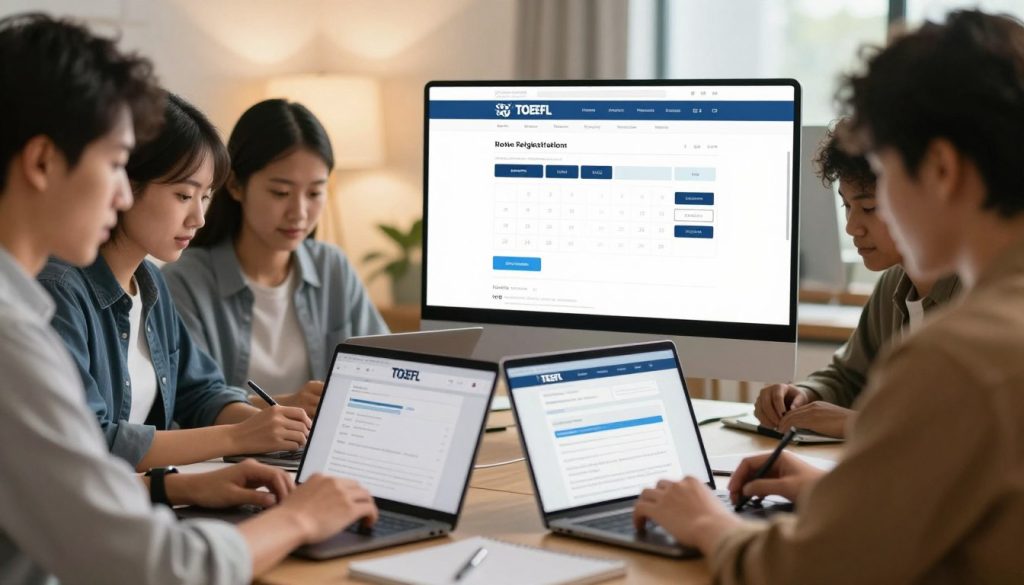
Begin by visiting the official ETS website and accessing the My TOEFL page. This portal serves as your central hub for all exam-related activities.
If you’re new to the system, create an account with your personal information. Returning users can simply log in with existing credentials.
Once inside, click the blue “Register/Find Test Centers, Dates” button. You’ll then select the Special Home Edition option from the available choices.
Navigating ProctorU and Secure Browser Setup
After completing your ETS registration and payment, watch for an email from ProctorU. This service handles remote proctoring for your session.
You’ll need to create a separate ProctorU account following their instructions. This is where you’ll access important technical details and communication tools.
Before your scheduled date, download the ETS Secure Test Browser from the link in your confirmation emails. Test it to ensure proper functionality on your computer.
The registration fee matches traditional testing center pricing. Costs vary by country, ranging from $170 to $270 depending on your location.
You can book appointments Wednesday through Sunday, with time slots available 24 hours daily. Last-minute scheduling is possible within 24 hours if needed.
Test Day: Check-In Procedures
Your test day experience begins with a smooth check-in process that ensures everything is ready. Arrive at your computer 30 minutes before your scheduled start time to allow for any unexpected delays.
Begin by clicking the “Start Test” button in your confirmation email or dashboard. The testing application will launch automatically, taking you to a virtual waiting area.
Identity Verification and Room Scan
Your proctor will guide you through identity confirmation first. Hold your government-issued ID up to your webcam for clear visibility. The proctor needs to verify your information matches registration details.
Next comes the room scan security procedure. Slowly pan your camera around your entire testing space. Show your desk, walls, and floor area to demonstrate no prohibited materials are present.
Final Equipment and Environment Check
Your proctor conducts a final equipment verification before starting. They’ll test your webcam visibility, microphone quality, and screen sharing capability. This prevents technical issues during your actual assessment.
If any problems arise during this home test day check-in, your proctor provides specific instructions. You’ll have time to resolve environmental or technical concerns before the timer begins.
Some test-takers may need to connect a second camera using a mobile device. This provides an additional monitoring angle for enhanced security throughout your session.
Guidelines During the Exam
Maintaining proper conduct throughout your assessment session ensures valid results. The rules are designed to protect the integrity of your scores while allowing you to focus on demonstrating your English abilities.
Your proctor monitors the entire session to ensure compliance with all requirements. Understanding what’s permitted prevents unnecessary complications during this important evaluation.
Adhering to Testing Rules and Restrictions
Communication with anyone except your proctor is strictly prohibited. Unauthorized materials including recording devices, phones, and smartwatches must be removed from your testing area.
Certain behaviors will invalidate your results immediately. These include talking aloud, looking away from your screen, or moving out of camera view. The assessment runs continuously without breaks.
| Item Type | Allowed | Prohibited |
|---|---|---|
| Communication | Proctor only | Anyone else |
| Note-taking | Whiteboard/sheet protector | Paper, notebooks |
| Audio equipment | Built-in microphone | Headsets, headphones |
| Software | Secure browser only | Remote access apps |
| Visibility | Face and screen visible | Moving out of view |
During the speaking section, ignore headset instructions since they’re not allowed. Speak clearly into your microphone and trust your proctor’s audio confirmation.
Show your notes to the proctor before erasing them at the exam’s conclusion. Consistent camera visibility remains crucial throughout the entire testing period.
Managing Technical Issues
Technology sometimes presents challenges, but knowing how to handle them keeps your testing experience smooth. Proper preparation minimizes disruptions during your important evaluation.
Before beginning your session, close applications that consume internet bandwidth. Shut down unnecessary browsers and devices in your residence. This prevents the most common technical problems.
Troubleshooting and Reconnecting Strategies
Your proctor checks equipment before starting the timer. Any time spent resolving pre-test issues won’t count against your assessment period.
During the actual evaluation, speak aloud and wave if problems occur. Proctors monitor multiple candidates and may miss subtle issues. Use the chat function if disconnected but still online.
Momentary internet outages usually resolve automatically. When connection restores, you’ll reconnect to your proctor. They can often reopen your exam without losing progress.
For extended disconnections, restart the check-in process. Second camera issues require different approaches depending on when they happen. During check-in, simply rescan the QR code.
During active testing, your proctor will pause the timer. They provide specific reconnection instructions. For complex problems, contact customer service specialists immediately.
Post-Test Procedures and Reviewing Scores
Once you finish answering all questions, your work isn’t quite done yet. The final steps ensure your session concludes properly and your results are processed correctly.
Your proctor will guide you through material submission. You’ll show your notes on camera before erasing them completely. This proves you’re not keeping any test content.
Erasing Notes and Submitting Final Materials
Hold your whiteboard or sheet protector up to the camera. Show both sides clearly to your proctor. Then erase all markings completely before disconnecting.
The system displays unofficial scores for Reading and Listening immediately. These sections are scored automatically at the end. You’ll then decide whether to report or cancel your results.
Understanding Your Score Report
Your complete official report arrives within 4-8 days. It includes detailed breakdowns of all four sections. The speaking section requires human evaluation, which takes additional time.
| Section | Scoring Method | Score Range | Timing |
|---|---|---|---|
| Reading | Automated | 0-30 | Immediate |
| Listening | Automated | 0-30 | Immediate |
| Speaking | Human + AI | 0-30 | 4-8 days |
| Writing | Human + AI | 0-30 | 4-8 days |
Scores remain valid for two years from your test date. You can send them directly to institutions through your ETS account. Reviewing practice tests helps identify areas for improvement before your next attempt.
Contacting Support for TOEFL Take at Home
Even with thorough preparation, questions can arise during your remote English assessment journey. Our dedicated team provides personalized assistance for every step of the process.
Multiple Channels for Immediate Help
We offer support through popular messaging platforms for your convenience. You can get real-time answers to your specific questions.
- WeChat: Contact Essay-Kathrine for quick messaging, ideal for test-takers in Asia.
- WhatsApp: Message +852 4455 3510 to share screenshots and get detailed guidance.
- Telegram: Reach us at +1(815)824-0640 for secure communication about your iBT home edition.
For complex issues that standard support cannot resolve, contact ETS customer service directly. Ask to speak with a test taker advocate who specializes in the home edition.
Conclusion
The journey to demonstrating your English skills from your residence is now within reach. The TOEFL iBT Home Edition provides remarkable flexibility while maintaining academic rigor.
Thorough preparation makes all the difference. Complete several practice tests under timed conditions using only approved materials. This builds confidence for your actual evaluation.
Remember the essential requirements: valid government ID, whiteboard with dry-erase marker, quiet private room, and tested equipment. Paper notes and headphones are strictly prohibited during the assessment.
Your scores from this home test edition carry equal weight with traditional results. Universities worldwide recognize these credentials equally. You’re well-prepared for success with the comprehensive guidance provided throughout this article.
FAQ
What is the TOEFL iBT Home Edition?
The TOEFL iBT Home Edition is the official at-home version of the test. It offers the same content, format, and on-screen experience as the test center exam but from the comfort of your own space. A human proctor monitors you online throughout the entire session to ensure security.
What equipment do I need for my home test day?
You’ll need a computer that meets the system requirements, a reliable internet connection, a webcam, and a microphone. Headsets or wireless headphones are not allowed. For notes, you can use a small whiteboard with an erasable marker or a single sheet of paper inside a transparent sheet protector.
How do I set up my testing area?
Choose a quiet, private room where you won’t be interrupted. Your desk and surrounding area must be clear of all materials not allowed during the exam. You’ll need to show your proctor a 360-degree view of your room during the check-in process.
What are the main technical requirements?
Your computer must be a PC or Mac—tablets are not supported. You need to download and install the ETS secure browser. It’s also crucial to run a full equipment check on the ETS website before your registration date to avoid problems.
How does the registration and booking process work?
You’ll use your existing ETS account to sign up. After selecting the Home Edition, you’ll choose your test date and time. The system will then guide you to ProctorU to complete your scheduling. Make sure all your personal details match your ID exactly.
What happens during the check-in procedures on test day?
You’ll log in to your ProctorU account early. A proctor will verify your identity using your passport or other approved ID. Then, they will guide you through a room scan and a final check of your computer screen and workspace before the exam begins.
What are the key rules I must follow during the exam?
You cannot leave your seat or have anyone else enter the room. Talking aloud is only permitted during the speaking section. You are not allowed to use any unauthorized materials, like phones, books, or pre-written notes.
What should I do if I have a technical issue?
Communicate with your proctor immediately using the chat function in the ProctorU window. They can often help you troubleshoot and reconnect. If the issue is severe, they will guide you on the steps to reschedule your appointment.
What are the post-test procedures?
At the end of your exam, the proctor will watch you erase all notes from your whiteboard or destroy your single sheet of paper. Your scores will be available in your ETS account approximately 6-10 days after your test date.
How can I get support if I have questions?
For personalized help, you can reach out via WeChat: Essay-Kathrine, WhatsApp: +852 4455 3510, or Telegram: +1(815)824-0640. For official matters, always contact ETS support directly through their website.