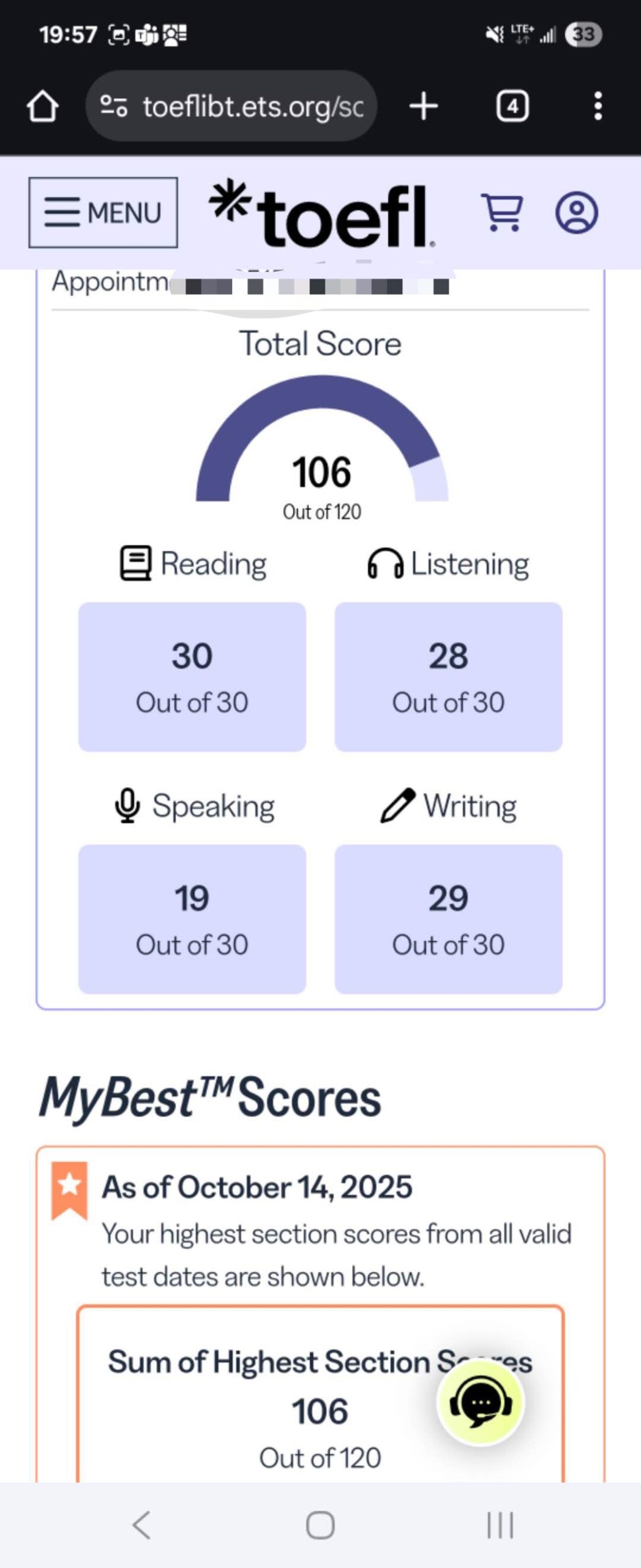
Welcome to your complete guide on the TOEFL iBT Home Edition! This flexible testing option allows you to complete your English proficiency assessment from the comfort of your own space. Many students worldwide are choosing this convenient alternative to traditional test centers.
The Home Edition maintains the exact same content, format, and scoring system as the center-based exam. Your results carry equal weight for university admissions and visa applications. Robust online proctoring ensures test integrity throughout your experience.
This comprehensive resource walks you through every step of the process. We cover technical requirements, registration procedures, test day protocols, and scoring timelines. Whether you’re preparing for your first attempt or aiming to improve previous scores, understanding these details builds confidence.
We also share practical advice for setting up your testing environment and managing potential technical issues. If you need personalized assistance during your preparation journey, expert support is available through multiple communication channels.
Key Takeaways
- The Home Edition offers identical content and scoring to test center exams
- University acceptance remains the same for both testing formats
- Online proctoring ensures exam security and integrity
- Proper technical setup is essential for a smooth testing experience
- Registration follows a similar process to the traditional test center option
- Understanding requirements beforehand helps prevent test day issues
- Expert guidance is available if you encounter challenges during preparation
Understanding the TOEFL iBT Home Edition
Educational Testing Service (ETS) created the Home Edition to meet evolving student needs. This innovative option delivers the same rigorous assessment as traditional testing centers. The format, content, and scoring remain identical between both versions.
Your examination will include all four standard sections: Reading, Listening, Speaking, and Writing. The complete experience lasts approximately three to three and a half hours. Universities worldwide treat scores from this format equally with those from physical locations.
One significant advantage is scheduling flexibility. The TOEFL iBT Home Edition is available 24 hours daily, four days each week. This allows you to select a time that matches your personal rhythm and commitments.
A human proctor monitors your entire session through ProctorU. This ensures test security while providing support if technical issues occur. The system maintains the high integrity standards that institutions expect.
Thousands of universities across the United States, Canada, Australia, and other nations accept these results. You can confidently submit scores from your home edition to competitive programs. The recognition is identical to that of the test center version.
Equipment and Environment Requirements for a Secure Test Experience
Proper preparation of your testing space and equipment is the first critical step toward a successful exam. Meeting all technical and environmental requirements prevents disruptions and ensures a valid score.
Required Computer and Software
Your computer must be a desktop or laptop. Tablets and mobile devices are not permitted. Specific operating system and browser compatibility are essential for the secure test software to function correctly.
| Component | PC Requirements | Mac Requirements |
|---|---|---|
| Operating System | Windows 10 or 8 | Mac OS X 10.5 or higher (10.13 recommended) |
| Browser | Chrome or Firefox | |
| Essential Software | ETS Secure Test Browser (must be installed) | |
Before your scheduled session, download the ETS secure test browser. Run the official equipment check to confirm your system, microphone, and camera work perfectly.
Testing Room Setup Guidelines
Your testing environment must be private and quiet. You need to be alone in the room with the door closed. A standard chair and desk are mandatory for this home edition assessment.
Clear your desk surface completely. Only your ID and approved note-taking materials are allowed. Your ears must remain visible, and your face should be well-lit for the proctor.
The proctor will ask you to use your webcam to show a 360-degree view. This confirms your room meets all security requirements. A smooth experience depends on this careful setup.
Registration Process and ID Verification Steps
Signing up for the remote testing option involves straightforward digital procedures. The entire enrollment happens online through your ETS account dashboard. This gives you access to flexible scheduling around your personal commitments.
You can choose from available time slots across a generous two-month window. The system displays openings 24 hours daily, four days each week. This flexibility helps you find the perfect moment for your assessment.
Creating an ETS Account
Your first step is establishing an ETS profile on the official website. Provide accurate personal information during this setup phase. Your account becomes the central hub for all examination management tasks.
Once logged in, navigate to the registration section. Select the home edition option if available in your country. The interface guides you through each subsequent step clearly.
| Registration Phase | Time Required | Documents Needed |
|---|---|---|
| Account Creation | 5-10 minutes | Personal information |
| Date Selection | 2-5 minutes | Calendar availability |
| Payment Processing | 3-7 minutes | Payment method |
| Confirmation | Immediate | Email access |
Understanding ID Requirements
Proper identification verification prevents test day complications. Your government-issued document must be original and current. The name must match your registration details exactly.
Requirements vary by country and citizenship status. Check the official website for your specific situation well in advance. Some locations may require additional identity verification steps.
After completing your enrollment, save the confirmation email securely. It contains your appointment details and launch link. Keep this information easily accessible for your scheduled session.
Test Day Procedures: Check-In and Proctor Interaction
When your scheduled test day arrives, the check-in process begins with a simple click. This digital arrival sets the stage for your entire examination experience.
Navigating the Virtual Waiting Room
At your appointment time, access the “Start your test” link from your confirmation email. You must begin within 12 minutes of your scheduled start time. Missing this window results in cancellation without refund.
The system automatically launches the testing application. You’ll enter a virtual waiting area where your session details appear. This is where identity verification occurs.
Show your government-issued ID to the proctor through your webcam. The name must exactly match your registration information. The proctor will review all examination rules thoroughly.
Managing Proctor Communication
Your proctor will request screen access and a complete room scan. Use a mirror or phone to show your computer display. Move your camera to provide a 360-degree view of your testing space.
Throughout your session, remain visible on camera at all times. Avoid speaking aloud or looking away from the screen excessively. The proctor monitors your entire experience in real-time.
If you need assistance, wave or use the chat function. An audio signal alerts you to proctor messages. Keep speakers at reasonable volume to hear these notifications.
The entire check-in typically takes about 20 minutes. Following protocols ensures your scores remain valid and accepted by institutions.
Preparing Your Testing Area for an Uninterrupted Experience
Setting up your testing area correctly prevents distractions and technical issues during the assessment. Your preparation directly impacts your ability to focus and perform at your best. A well-organized space ensures a smooth examination experience from start to finish.
Begin by completely clearing your desk and surrounding area. Remove all unauthorized items like books, phones, and snacks. Only your approved identification and note-taking materials should remain visible.
Your testing environment must be private, quiet, and well-lit. Close all doors and cover windows if necessary to minimize distractions. Ensure no one can enter or observe you during the entire session.
Plug your computer into a reliable power source throughout the assessment. This prevents interruption from battery loss during the multi-hour examination. Close all unnecessary applications and browser tabs to conserve bandwidth.
Shut down other household devices that consume significant internet resources. This includes streaming services and gaming systems. Proper bandwidth management ensures stable connection quality.
Dress appropriately with your ears and face fully visible. Avoid hats, jewelry, or accessories that could raise concerns. Face coverings are not permitted during check-in or testing.
Run a final equipment check from the exact computer you’ll use for the examination. Resolve any identified issues well before your scheduled appointment time. This proactive approach prevents last-minute technical problems.
Technical Tips and Troubleshooting During Your Test
A stable technical setup ensures your focus remains on demonstrating your English skills. Proper preparation prevents most common issues that could interrupt your assessment experience.
| Common Issue | Prevention Steps | Response During Test |
|---|---|---|
| Bandwidth problems | Close unnecessary applications and browsers | Wave hands and speak to proctor |
| Software conflicts | Disable screen-sharing tools beforehand | Follow proctor guidance via chat |
| Camera disconnection | Use reliable power source for equipment | Rescan QR code if needed |
| Audio instructions | Remember headsets are not permitted | Ignore headset check prompts |
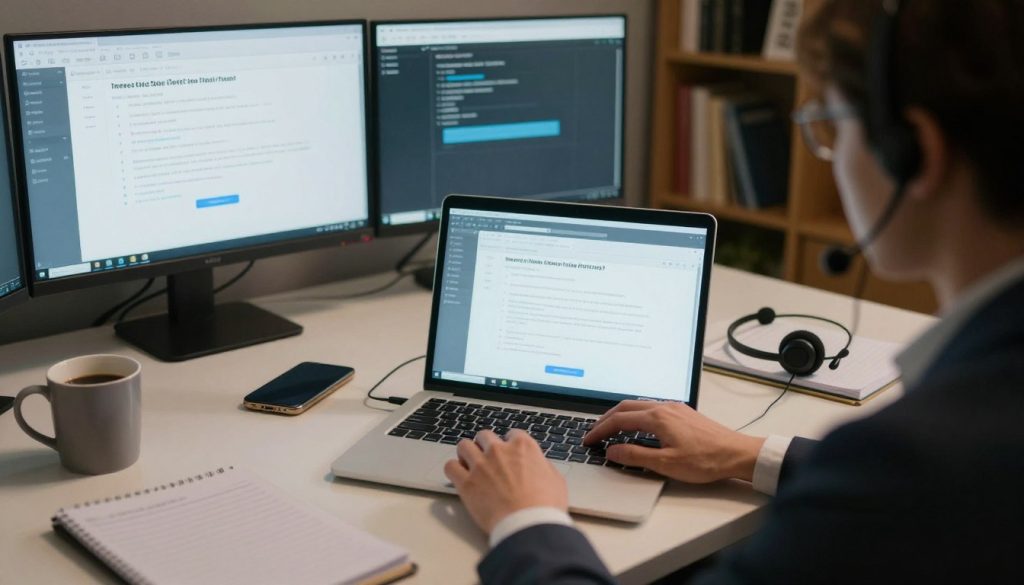
Bandwidth management is crucial for a smooth examination. Close all unnecessary programs on your computer before starting. Also shut down other household devices that use significant internet resources.
Your proctor conducts a final equipment check before the timer begins. This verification time doesn’t count against your testing period. If issues arise during your session, immediately wave and speak aloud for assistance.
The system can automatically reconnect after brief internet interruptions. For complete disconnections, you may need to restart the check-in process. Stable connectivity ensures an uninterrupted evaluation experience.
How to take toefl at home: Step-by-Step Guide
The complete journey for your remote English assessment unfolds through several key stages. Understanding this systematic approach helps you navigate each phase with confidence.
Begin by creating your ETS account on the official website. Select the home edition option and choose your preferred date from available slots. Complete payment to secure your examination spot.
| Stage | Timeframe | Key Actions |
|---|---|---|
| Registration | 15-30 minutes | Account setup, date selection, payment |
| Preparation | 1-2 weeks | Equipment check, practice tests, room setup |
| Test Day | 3.5-4 hours | Check-in, four sections completion |
| Results | 6-10 days | Score availability, institution sending |
After registration, focus on thorough preparation. Verify your computer meets all system requirements. Download the secure browser and run equipment checks. Complete several practice sessions to build familiarity.
Prepare your testing environment carefully. Choose a quiet, private room with good lighting. Clear your desk completely except for approved materials. Practice the room scan you’ll perform during check-in.
On your scheduled day, log in early and begin the proctor verification process. Complete all four sections while remaining visible on camera. Contact your proctor immediately if technical issues arise.
After finishing your exam, you’ll see unofficial Reading and Listening scores. Official results appear in your account within 6-10 days. You can send these scores to institutions directly.
Detailed Exam Pattern and Sectional Breakdown
Knowing the specific structure of your assessment helps you prepare effectively. The TOEFL iBT Home Edition follows the same four-part format as the center-based version.
Your complete evaluation takes about three to three and a half hours. Each component measures different English language skills.
Overview of Reading and Listening Sections
The Reading portion presents 3-4 academic passages. You’ll answer 30-40 questions within 54-72 minutes.
This section tests your comprehension of university-level texts. Your performance earns a score from 0-30 points.
Listening includes 3-4 audio recordings of lectures and conversations. You have 41-57 minutes for 28-39 questions.
This measures your ability to understand spoken academic English. Both sections contribute equally to your final results.
Insights on Speaking and Writing Tasks
The Speaking component contains four tasks completed in 17 minutes. One task involves speaking about familiar topics.
Three integrated tasks require reading or listening before responding. Evaluators assess clarity, coherence, and language use.
Writing includes two tasks over 50 minutes. The integrated task combines reading and listening before writing.
The independent essay asks you to support an opinion on a given topic. Regular practice with official materials builds confidence for all sections.
Scoring, Rescheduling, and Test Results Management
Understanding your test results and management options is crucial for your academic planning. The scoring process for your examination follows a clear timeline with important decision points.
Immediately after completing your assessment, you’ll see unofficial scores for the Reading and Listening sections. These provide early performance feedback. You must decide whether to report or cancel your results at this moment.
| Score Action | Timeline | Key Considerations |
|---|---|---|
| Unofficial Scores | Immediately after test | Reading/Listening only; decide to report/cancel |
| Official Results | 6-10 days post-exam | All four sections; available in ETS account |
| Free Score Reports | During registration | Up to four institutions included |
| Additional Reports | After results available | Require additional fee payment |
If your preparation timeline changes, you can reschedule up to four days before your appointment date. A rescheduling fee applies through your ETS account. Cancellation policies offer a 50% refund if done more than four days in advance.
Your examination scores remain valid for two years from your test date. If unsatisfied with your performance, you can register for another assessment after a three-day waiting period. Electronic score delivery is fastest for urgent applications.
Contact and Support Information for TOEFL Assistance
When questions arise during your preparation journey, having direct access to expert guidance can significantly boost your confidence. Personalized support complements official resources and addresses your specific needs.
Sometimes the assessment process feels overwhelming. Dedicated assistance channels provide the clarification and reassurance you need to succeed.
WeChat: Essay-Kathrine
Connect through WeChat by adding Essay-Kathrine for tailored guidance. This platform offers convenient messaging for detailed questions about preparation strategies and requirements.
Receive personalized advice that addresses your unique situation and goals. The support focuses on helping you achieve your target results.
WhatsApp and Telegram Support
WhatsApp users can reach out directly at +852 4455 3510 for quick responses. Telegram support is available at +1 (815) 824-0640 for additional convenience.
These channels provide immediate assistance with technical questions, registration procedures, or general preparation advice. Don’t hesitate to contact us whenever you need support.
Expert help is available through all three platforms to enhance your examination experience. Reach out for the personalized assistance that makes a difference.
Additional Best Practices for a Successful Testing Day
Going beyond basic requirements can significantly enhance your evaluation experience. These strategies help you perform at your best when it matters most.
Final Equipment Checks Before Test
Complete a thorough equipment verification the day before your session. Run the official system check to confirm everything works perfectly.
Make sure your camera, microphone, and internet connection meet all specifications. This prevents last-minute technical issues that could disrupt your focus.
Managing Stress and Time
Develop effective strategies to maintain calm throughout your assessment. Deep breathing exercises can help you stay focused during challenging sections.
Practice time management techniques during your preparation. Know how much time to allocate for each question type.
| Stress Management Technique | When to Use | Benefit |
|---|---|---|
| Deep Breathing | Between sections | Reduces anxiety, improves focus |
| Positive Self-Talk | During difficult questions | Boosts confidence, maintains momentum |
| Time Awareness | Throughout exam | Ensures completion of all sections |
Remember that consistent practice builds both skills and confidence. Approach your session with a positive mindset for optimal results.
Conclusion
Achieving your academic goals through the convenience of remote evaluation opens doors to global educational opportunities. This comprehensive guide has equipped you with everything needed for success.
You now understand the equipment requirements, registration process, and test day procedures. The remote TOEFL assessment maintains identical standards to center-based exams.
Following the detailed guidelines ensures a smooth testing experience. Proper preparation of your environment and familiarity with proctor interaction are key factors.
Remember that support remains available throughout your journey. Your scores will be recognized by universities worldwide, bringing you closer to your dreams.
With thorough preparation and a calm approach, you’re well-positioned to demonstrate your English proficiency effectively. This flexible option empowers you to showcase your skills in a comfortable setting.
FAQ
What is the main difference between the TOEFL iBT Home Edition and the test center version?
The content, format, and scoring are identical. The key difference is location. You complete the entire exam from a quiet, private space using your own equipment, monitored online by a human proctor.
Can I use a Mac computer for my TOEFL iBT Home Edition exam?
Yes, you can. Both Mac and Windows operating systems are supported. You must ensure your computer meets the specific system requirements, which include using a supported browser like Chrome or Firefox.
What happens if I have a technical issue, like my internet disconnects, during the test?
Don’t panic. The proctor is there to help. Try to get their attention via the chat function. ETS has protocols for such events, and they will work with you to try and resume the exam. It’s a good idea to have a backup internet plan, like a mobile hotspot.
How do I prove my identity on test day?
You will need to present a valid, original passport. This is the only accepted form of ID for the home edition. You’ll show it to the proctor via your webcam during the check-in process.
Are breaks allowed during the TOEFL iBT Home Edition?
Yes, there is one mandatory 10-minute break after the Listening section. You are allowed to leave your seat during this time. You cannot access any materials or your phone. Leaving your seat at any other time is not permitted.
How long does it take to receive my official scores?
Your official scores will typically be available in your ETS account approximately 6-10 days after your test date. You’ll also receive an email notification when they are ready to view.
What items are absolutely prohibited in my testing room?
Your testing space must be clear of all personal items. This includes mobile phones, notes, papers, books, and any electronic devices besides your test computer. You cannot have headphones or earphones.